Smart Doc AI
What is Smart Doc AI?
Smart Doc AI is a new feature that lets you ask questions and get instant answers from your flipbooks and PDFs. Instead of scrolling through pages to find information, you can simply type your question and get the answer right away.
Smart Doc AI is a new feature that lets you ask questions and get instant answers from your flipbooks and PDFs. Instead of scrolling through pages to find information, you can simply type your question and get the answer right away.
What You Can Do
- Ask questions: Anything inside the catalog
- Get summaries: Request a quick overview of long documents
- Search across multiple documents: Find information from your entire library at once
- Find specific details: Pull exact specs, prices, or data from tables
Benefits
- Save time - Find answers in seconds instead of minutes
- Easy to use - Just ask questions naturally, no special commands needed
- No training required - Anyone can use it right away
- Works at any scale - Use it with one document or more
How to use the Smart Doc AI
Edition/Catalog Level
1. Open a catalog, then click the AI Assistant button
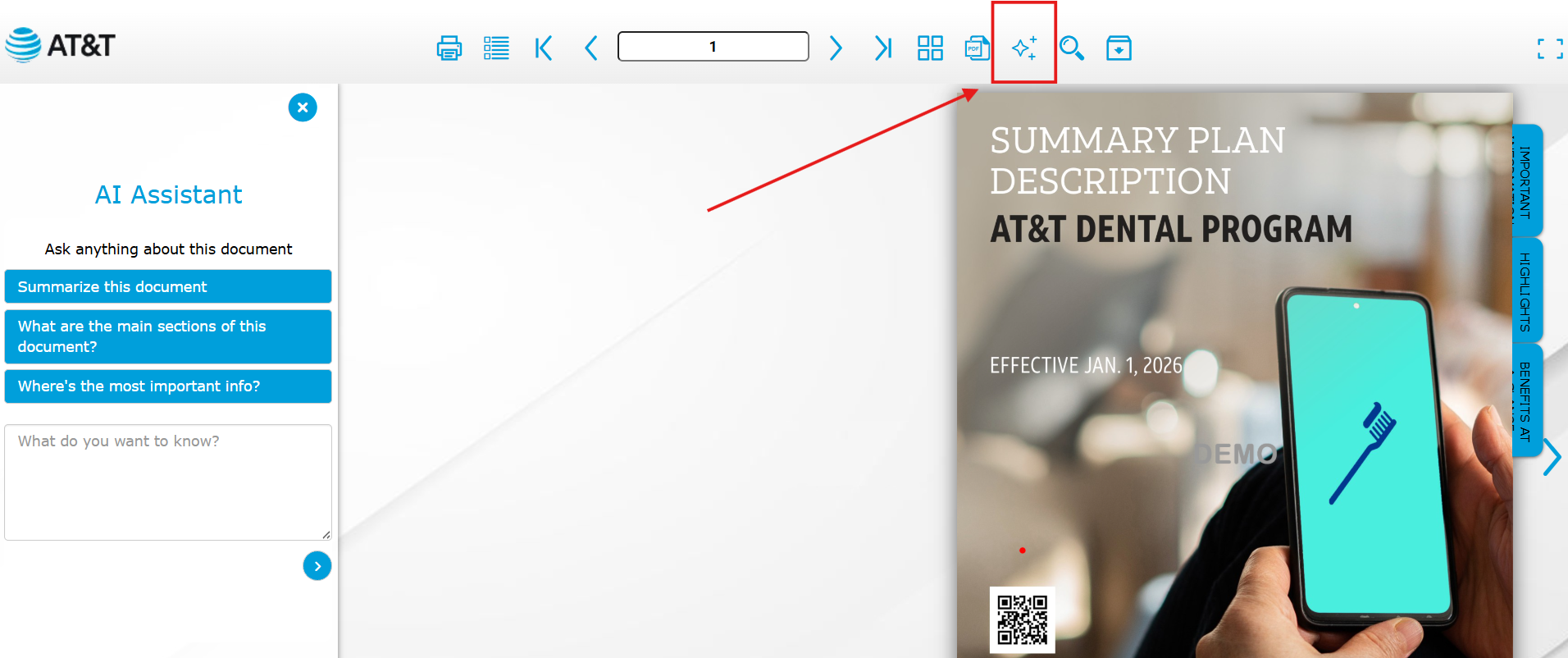
Edition/Catalog Level
1. Open a catalog, then click the AI Assistant button
2. Use the preinstalled questions of type away your question
Pro Tip: These questions can be customized. Please reach out to support or your Customer Success Manager should you wish to update the questions.
Library Level
1. Click the AI Assistant Button
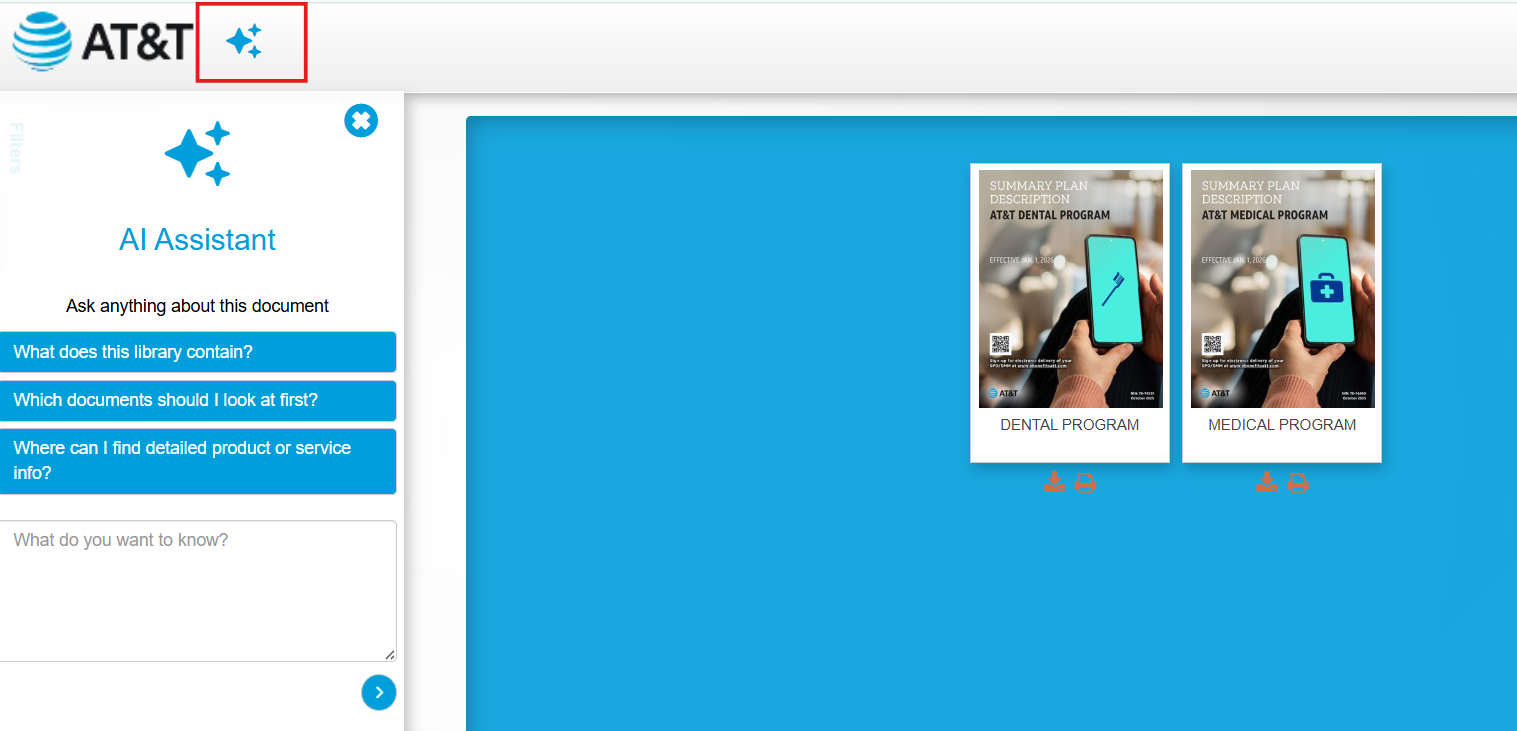
2. Use the preinstalled questions of type away your question
Pro Tip: These questions can be customized. Please reach out to support or your Customer Success Manager should you wish to update the questions.
Things to remember:
- AI is designed to only search and reply with information contained within the edition or library
- AI searches within text only, similar to the standard search bar
- Customization of questions is possible for the edition level and the library level, but at the edition level, the questions apply to all editions using that template, not on a per-edition basis.
Prefer to watch? Know more by visiting our YouTube page.