Lead Capture
The lead capture form is a form DCatalog installs for you, if it is part of your package. The form enables you to capture a lead's information when they visit your edition.
You can time this so it pops up after a few minutes or it can pop up as soon as the lead opens the edition. When you utilize the lead capture form, you can make it mandatory for your readers to enter their information before entering your digital edition.
To check on the data captured, go to Security > Lead Capture
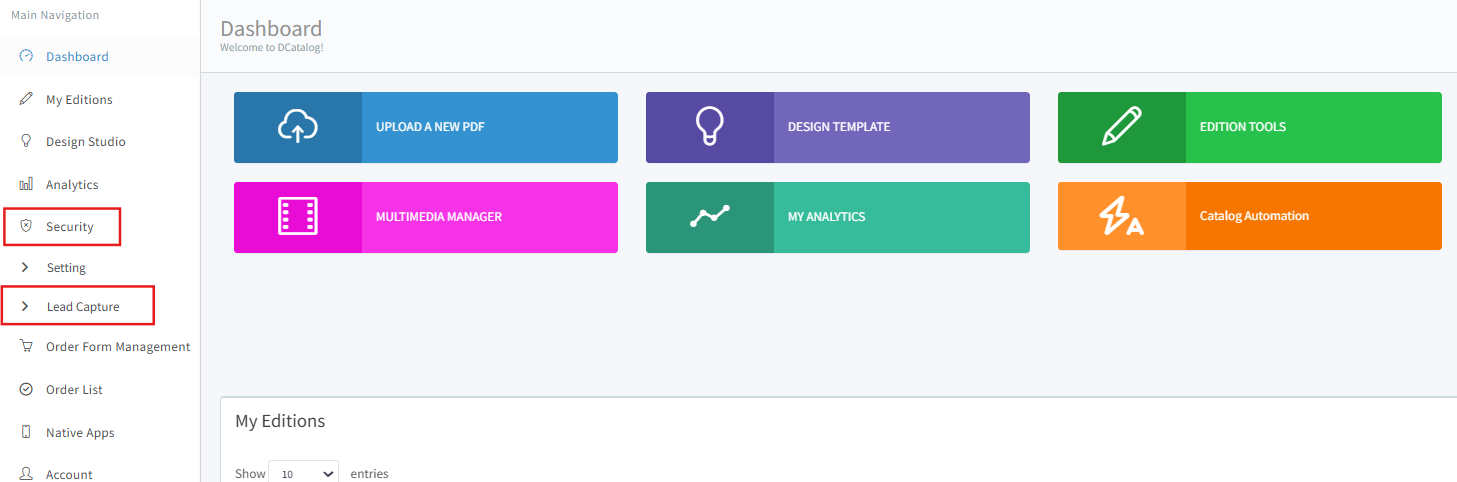
To check on the data captured, go to Security > Lead Capture
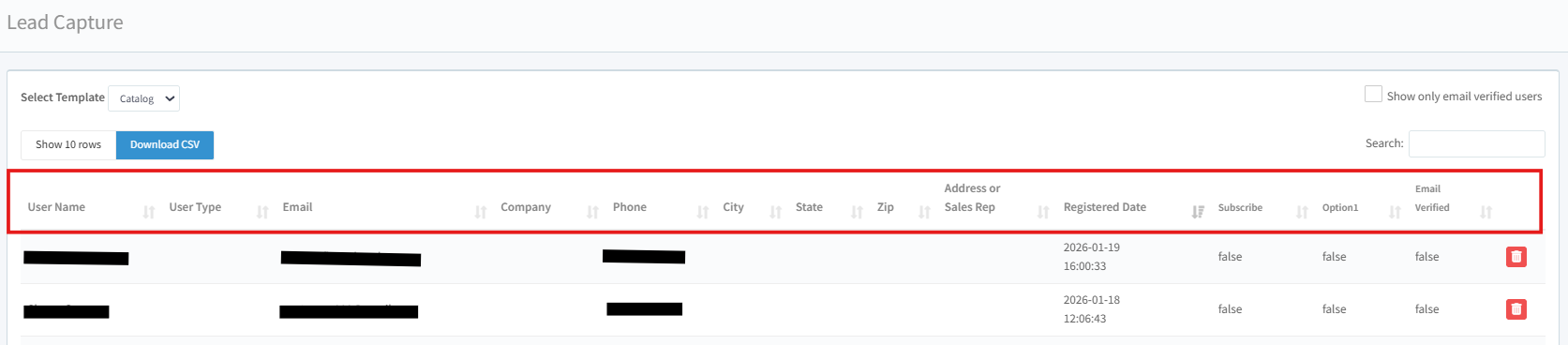
In the Lead Capture window, you have the following options:
a. Select a template you'd like to check
a. Select a template you'd like to check
b. Download the captured list as CSV
c. Choose to show only email verified users
d. Search for specific user
You will be presented with the captured data like; User Name, Email address, Phone, Registered Date, and if the Email is Verified.
The lead capture form can also be enabled for mobile. Let us know how we can assist you with the lead capture form!