How to update the text using ADA compliance text
In order to update the text of your PDF document for ADA functionality; begin by opening the PDF with Adobe's Accessibility Feature.
Once opened, you can change and update the text order and update all the tags on each page in Adobe
You can find the full details about Adobe's functionality here:
First you must Enable ADA. To do that:
1. Go to Design Template:
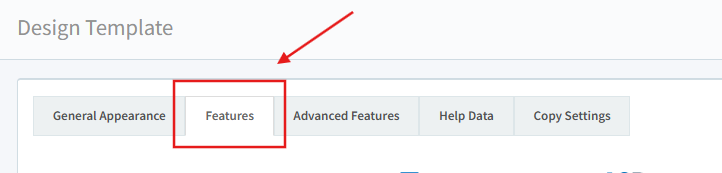
2. Go to
Features:
3. Enable ADA:
Below are the basic steps to access and use the Accessibility Features. Make sure you are in Adobe:
1. Open the Tools pane:
2. Choose the Accessibility Tool:
3. Choose Reading Order:
4. Choose the image to which you want to add the compliance text, right-click, and choose Edit Alternate Text:
5. Type in the image description, then select the OK button to finalize this step:
6. Close the Reading Order window once you are satisfied with text you've entered.
7. After successfully editing the tags to your liking in Adobe, export the file in the following manner:
File->Export To ->Text (Accessibility)
Related Articles
DCatalog ADA Compliance & Accessibility
DCatalog is committed to providing an accessible digital publishing platform that meets ADA (Americans with Disabilities Act) and WCAG (Web Content Accessibility Guidelines) standards. Our platform enables organizations to deliver accessible content ...
Replace Pages or Replace Multiple Pages
What is the Replace Pages feature? The Replace Pages feature allows you to update individual pages in your digital edition in real time, without needing to upload a brand-new PDF. Whether you’ve spotted a typo or need to update some content, this ...
Enable Features
Features are options and tools that you can turn off and on in the toolbar and viewer for the best user experience for your particular users. To turn specific features on or off, press the check mark to turn it on, and press it again (it should just ...
Uploading a CSV File to Update Order Form Technology
? What Is Order Form Technology? Order Form Technology allows clients to place an order directly from a digital catalog by selecting their preferred products. Once submitted, the company receives the request, and the client gets a confirmation email ...
Can I add text to a digital edition?
You cannot add text to a digital edition page, like you are editing a PDF. You need to add all text to your pdf. You can add gif images, videos, pictures, and pop ups to the edition, however.